How Sprux works
From the cleaner's first tap at the site to the timesheet on your desk. Here's a shift in Sprux.
Check in at the site
The cleaner opens Sprux and taps check in. It only works inside the site area, so you know they arrived, and when.
Before and after photos
Photos are stamped with time and site automatically. You get proof of the work, not pictures of people.
Check out
Check-out records the finish time. Hours go straight onto the timesheet, no paper or texts.
Owner dashboard
See every site live: who is on site, who is late, and which jobs are done. Export timesheets for payroll.
Simple enough for the first night
- Open a link on their own phone and add Sprux to the home screen
- See tonight's sites and times
- Check in at the site, tick the checklist, take the photos
- Check out. That's it.
Cleaners see a clear notice explaining that location is only recorded at check-in and check-out.
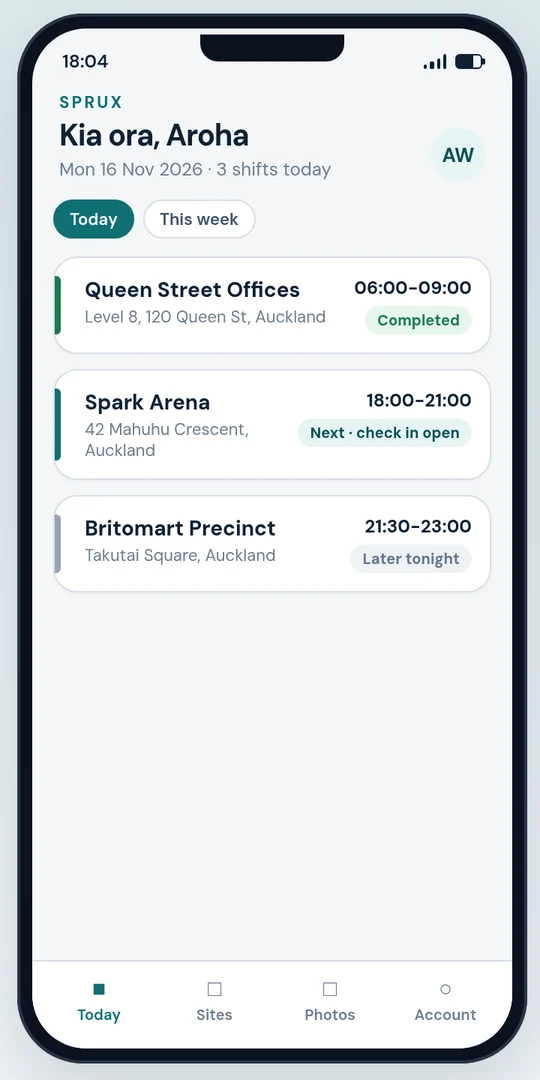
The whole night on one screen
- Live board: on site, late, not started, done
- Alerts when someone hasn't checked in
- Proof of clean reports for clients
- Weekly timesheets to export for payroll
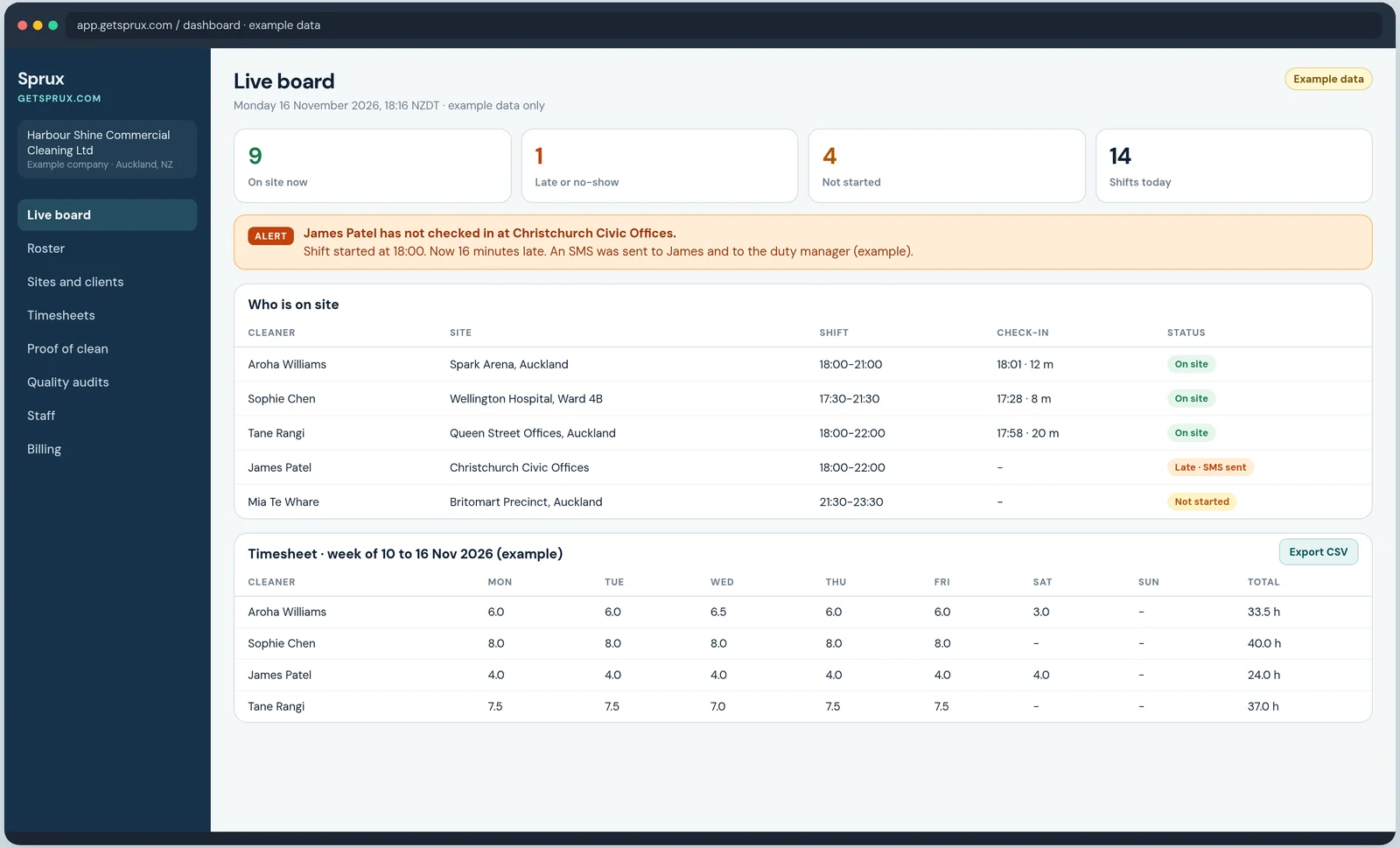
Getting set up
1. Add your sites
Address, site area, checklist and the photo spots that matter to each client.
2. Invite cleaners
Send each cleaner a link by text or email. They sign in on their own phone.
3. Assign shifts
Set who cleans where and when.
4. Go live
Run the first night with us on hand. Founding customers get a personal setup call.
See it in 30 seconds
A cleaner's night shift in Sprux, start to finish. Tap the video to turn the sound on.
- GPS check-in, only inside the site area
- Before and after photos, stamped with time and site
- Automatic check-out and hours on the timesheet
- The owner dashboard updates live
The sites, names and photos in the demo are examples only.
See Sprux on your own sites
A 20-minute call on Google Meet. We'll show the cleaner app and the owner dashboard, and talk through your sites and shifts. No obligation.